Desktop Guide
Quick Start
Create your first short clip in ten practical steps.
What This Feature Does
Quick Start walks a new user from opening the app to exporting a finished clip.
Why Users Need It
It gives beginners a safe first workflow using a local video so they can avoid public link restrictions.
Where To Find It
Dashboard -> New Project -> Upload Video -> Clip Editor.
Before You Start
- A short local MP4/MOV/MKV/AVI test file
- Local engine ready
Step-by-Step Guide
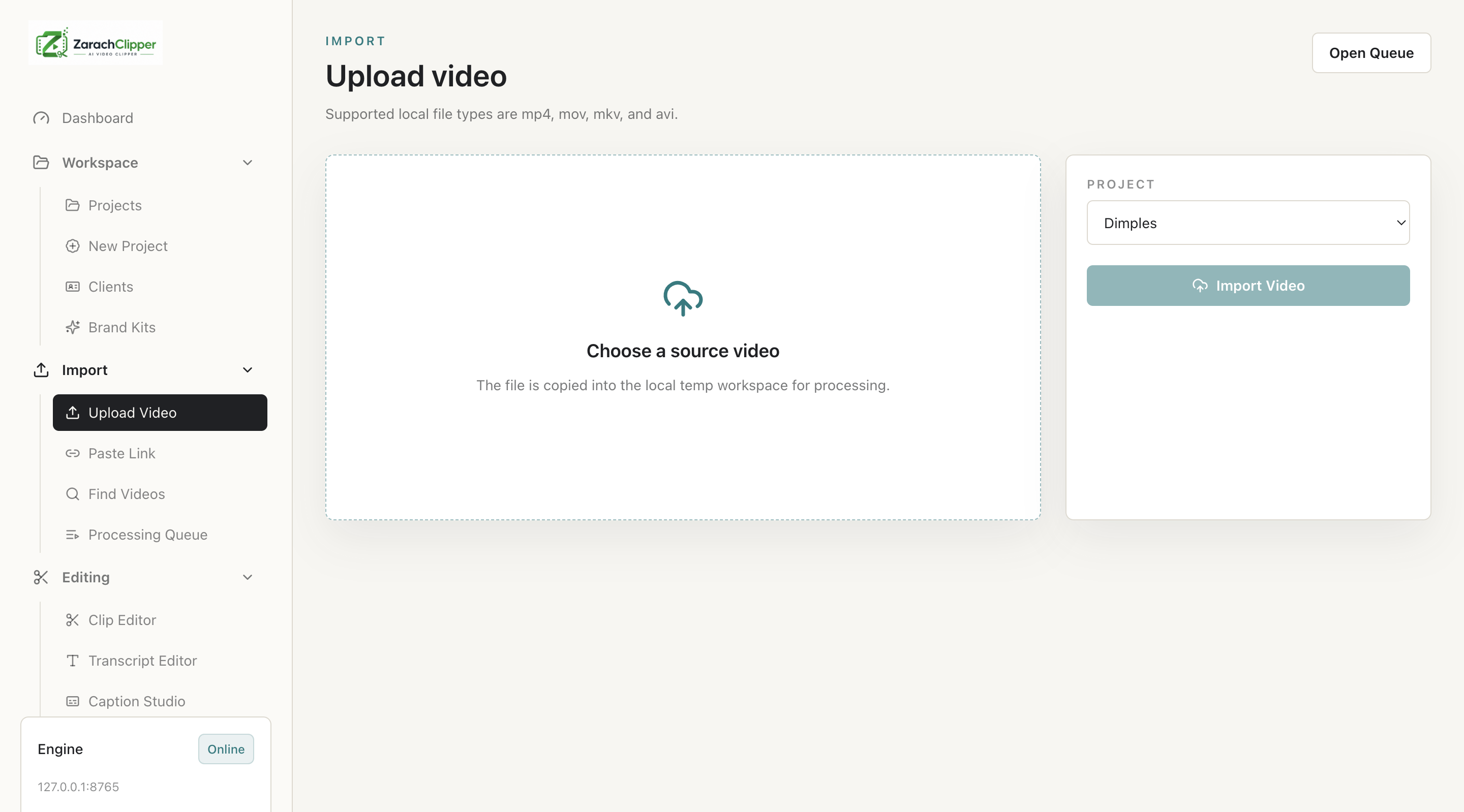
- Open ZarachClipper.
- Create a new project.
- Upload a local video.
- Wait for import to finish.
- Generate or reuse a transcript.
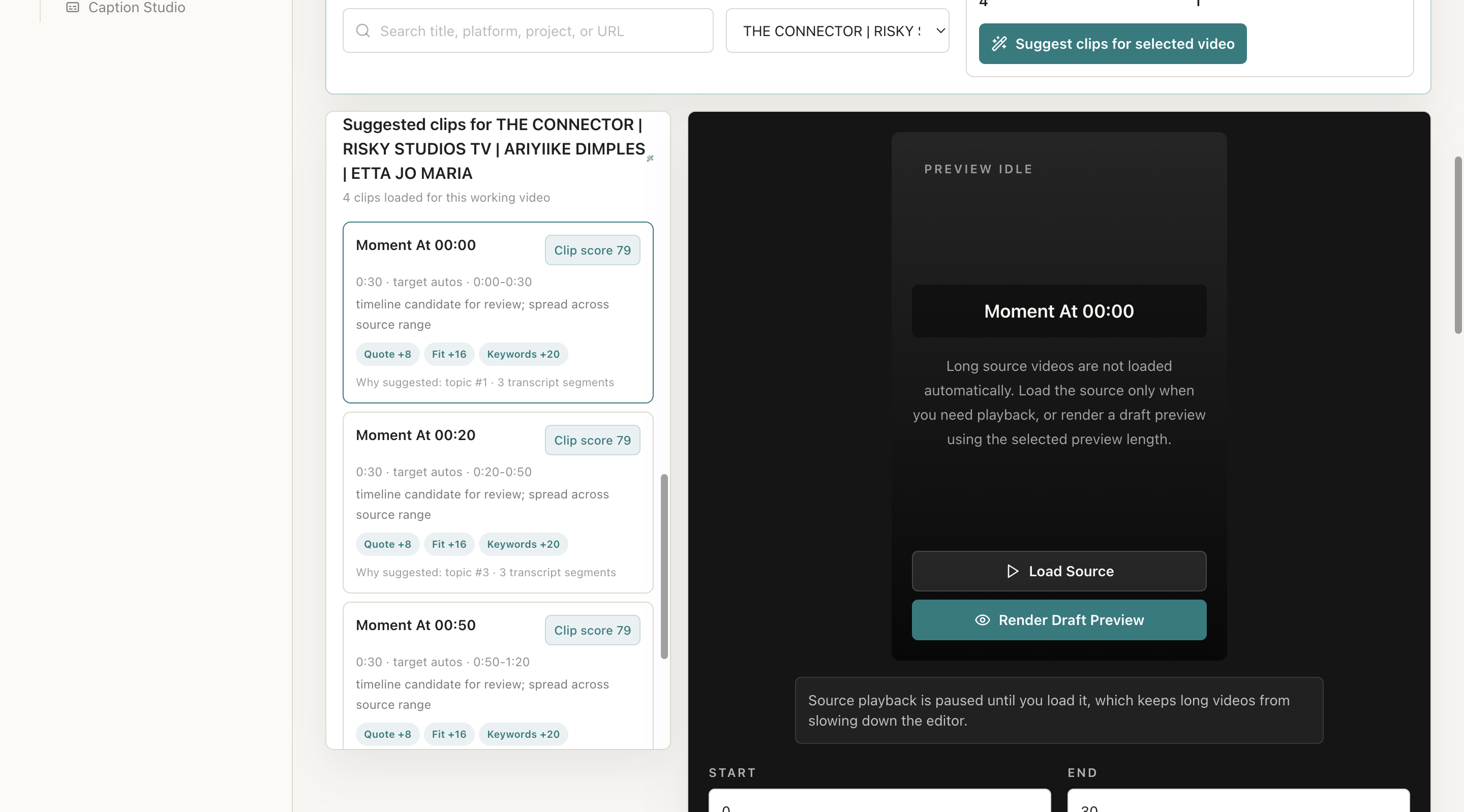
- Click Suggest Clips.
- Review suggestions.
- Preview a selected clip.
- Edit captions.
- Export the final clip.
Screenshot Section
What To Check On The Screen
- Project is selected
- Local media is ready
- Preview is rendered before export
Expected Result
The user exports a short local clip and understands the basic workflow.
Common Mistakes
- Skipping preview
- Running suggestions before transcript/media is ready
Troubleshooting
If export fails, open Error Logs and Processing Queue to find the failed job.