Desktop Guide
Licensing
Understand trial, free, pro, agency, device fingerprint, offline grace, feature gates, and activation.
What This Feature Does
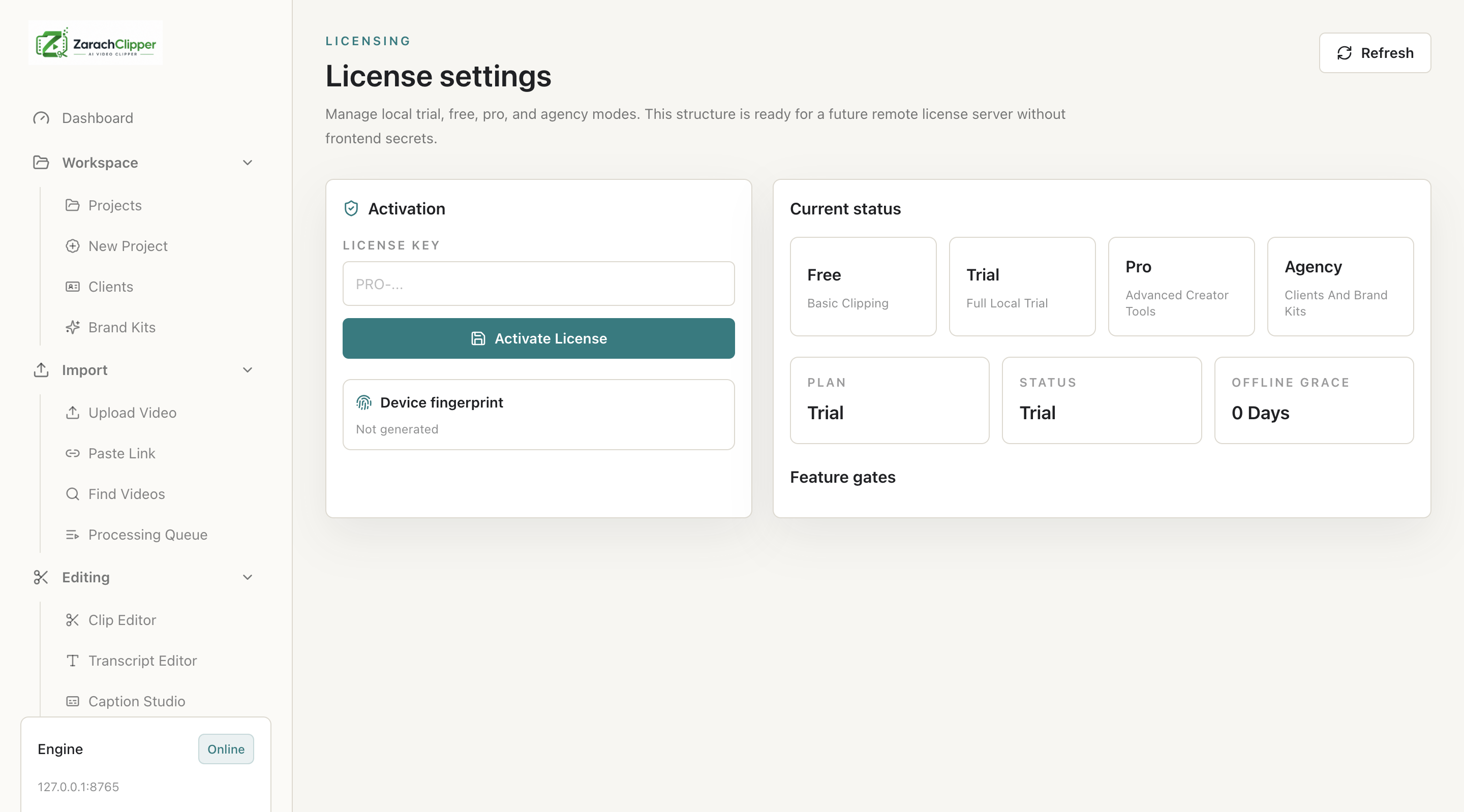
Licensing explains plans, activation screen, device fingerprint, offline grace period, feature gates, and local development plan switching where available.
Why Users Need It
Users need it to understand why features may be available or locked.
Where To Find It
Settings -> License; Cloud -> Online License.
Before You Start
- License key or cloud account if activation required
Step-by-Step Guide
- Open License.
- Review current plan.
- Check device fingerprint.
- Activate if required.
- Review feature gates.
- Check offline grace status.
- Open Online License for cloud-backed status when configured.
Screenshot Section
What To Check On The Screen
- Plan status is clear
- Device status is clear
- Feature gates explain restrictions
Expected Result
Users understand license status and next activation step.
Common Mistakes
- Sharing screenshots with license key visible
Troubleshooting
If activation fails, confirm backend URL, network, key, and device limit.